

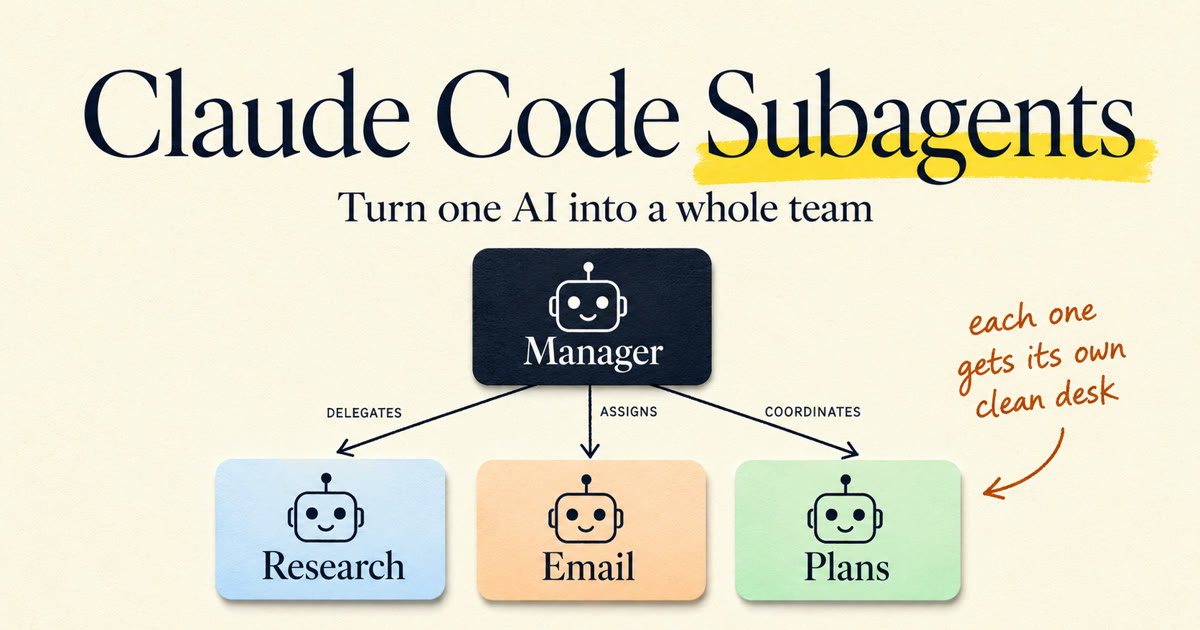
Everyone who uses Claude Code seriously hits the same wall, usually around week three.
You've got one AI. You've loaded it with everything: your preferences, your project notes, your rules, every instruction you ever thought of. And it's gotten worse, not better. It forgets instructions from the top of the conversation. It reads 30 files to answer one question and then can't remember why it started. You paste in a 40-page PDF and watch it lose the plot entirely.
Your instinct says the fix is a bigger context window. Wrong direction. The fix is the same one every real business figured out a century ago: you don't hire one person to do everything. You build a team.
That's what Claude Code subagents are. Not a power-user trick. The actual answer to the actual bottleneck. I run my whole business on this mechanism, and by the end of this post you'll have your first specialist working for you.
I write guides like this when an agent pattern survives contact with real work. Want the next one before it hits the blog?
What a subagent actually is
Strip the buzzwords and a subagent is three things:
- Its own context window. Per the official docs, each subagent runs in a fresh, isolated context. It doesn't see your conversation history. It doesn't inherit the 80,000 tokens of file reads cluttering your main session. It gets a task, works in its own clean room, and returns a summary.
- Its own tools. You decide what it can touch. A research agent gets Read, Grep, and Glob and physically cannot edit a file. A test-runner gets Bash. Restriction isn't a limitation here, it's the feature.
- Its own instructions. Every subagent has its own system prompt. Not a paragraph buried in your CLAUDE.md that the model may or may not notice. A dedicated prompt where this agent's job is the only thing on the page.
Concretely, a subagent is one markdown file:
---
name: researcher
description: Deep research specialist. Finds, reads, and compares
  sources, then returns a short brief. Use proactively for any
  research or comparison question.
tools: WebSearch, WebFetch, Read
model: sonnet
---

You are a research specialist. Dig thoroughly, then report small:
the five facts that matter, a comparison table when options are
involved, links to every source. Never dump raw pages. If the
sources disagree, say so instead of picking one silently.
Frontmatter on top, system prompt below. Drop it in .claude/agents/ inside your project and it exists for that project. Drop it in ~/.claude/agents/ and it exists everywhere on your machine. Only name and description are required. That's the whole API.
Claude Code also ships with built-in subagents: Explore for fast read-only codebase search, Plan for research during plan mode, and general-purpose for multi-step work. You've probably watched them fire without knowing what they were. Custom subagents use the same machinery, except you write the job description.
Why specialists beat one overloaded generalist
Here's the part most people skip, and it's the part that explains everything else.
A model's context window is its working memory, and working memory degrades as it fills. Stuff 150,000 tokens of file dumps, test output, and old instructions into one conversation and the model starts missing things. Not because it's dumb. Because you buried the signal. I wrote a full breakdown of this in the harness engineering guide, but the short version is: context rot is real, it's measurable, and it's the reason your agent gets worse on hour two of a long session.
Now look at what a subagent does to that problem.
Say you're picking accounting software, or comparing three venues for an event, or figuring out how authentication works across a codebase. Done in the main conversation, that's 30 pages read, maybe 40,000 tokens of raw material, all of it sitting in your context for the rest of the session like junk in a garage. Done by a subagent, those 40,000 tokens live and die in the subagent's context. Your main conversation receives three paragraphs: here's the comparison, here's the recommendation, here are the sources. The mess stays in the specialist's office. You get the memo.
That's the trade at the heart of the whole feature. A subagent converts verbose work into a short answer. Research sweeps, price comparisons, reading a pile of documents, test runs, log analysis: anything that produces a mountain of output you'll never reference again is a subagent job.
And there's a second win people underrate: focus. A subagent's system prompt contains its job and nothing else. No competing instructions. No leftover context from the refactor you did an hour ago. A specialist with one page of instructions beats a generalist with forty, in AI exactly like in people.
How delegation works
Two ways to put a subagent to work, and you'll use both.
Automatic delegation. Claude reads the description field of every subagent it knows about and matches incoming tasks against them. You say "find me the best three project-management tools for a two-person shop" and Claude sees a researcher whose description says "research or comparison questions, use proactively," and hands the task over on its own. No special syntax from you.
This means the description is not documentation. It's a routing rule. Write it like a job posting: what this agent does, and when it should be called. The docs are explicit that phrases like "use proactively" in the description make Claude reach for the agent without being asked. Vague description, agent never fires. Sharp description, it fires exactly when it should.
Explicit invocation. When you want control, just say the name: "Use the researcher subagent to compare these two contracts." Claude delegates. You can also type @ in Claude Code and pick the agent from the typeahead, which guarantees that specific agent runs instead of leaving the choice to Claude.
The mental model: automatic delegation is how a good team works on a normal day. Explicit invocation is you walking to a specific desk because you know exactly who you need.
Build your first one
Ten minutes, start to finish. We'll build the researcher because everybody researches something: tools, vendors, trips, competitors. (If you write code, your second agent should be a code reviewer. Same recipe, different job description.)
Step 1: create the file. In your project folder:
mkdir -p .claude/agents
touch .claude/agents/researcher.md
Use ~/.claude/agents/ instead if you want it in every project. If both locations define an agent with the same name, the project one wins.
Step 2: write the name and description. The two required fields. Name is lowercase with hyphens. Description is your routing rule, so spend your effort here:
name: researcher
description: Deep research specialist. Finds, reads, and compares
  sources, then returns a short brief with links. Use proactively
  for any research or comparison question.
Step 3: restrict the tools. Add tools: WebSearch, WebFetch, Read. Omit the field and the subagent inherits every tool the main conversation has, which is rarely what you want. A researcher that can only read and search can't "helpfully" rewrite your files while you're not looking. Give each agent exactly what the job needs and nothing more.
Step 4: pick the model. The model field takes sonnet, opus, haiku, or inherit, and defaults to inherit (same model as your main conversation). This is your cost dial. High-volume grunt work like scanning pages or logs runs fine on haiku at a fraction of the price. Judgment work stays on the bigger model.
Step 5: write the prompt and test it. Everything below the frontmatter is the system prompt. Tell it who it is, give it a checklist, specify the output format. Then test with a direct ask: "Use the researcher subagent to find the best three CRM options for a solo consultant." Claude Code watches the agents directories and picks up file edits within a few seconds. The one gotcha: if .claude/agents/ didn't exist when your session started, restart Claude Code once so it finds the new directory.
You can also skip the manual writing entirely and ask Claude to create the agent for you, in plain English, and review what it wrote. That's the officially recommended path now, and honestly it's how I make most of mine.
The patterns that actually work
Once you have more than one specialist, shapes start to emerge. Two of them do most of the work.
Workers plus a reviewer. This is the orchestrator-workers pattern from Anthropic's Building Effective AI Agents: a lead agent breaks the job down, workers execute the pieces, and a separate agent checks the output. Picture planning a product launch. The manager splits the job, sends three workers off in parallel (one researches the market, one drafts the announcement, one builds the pricing sheet), then hands everything to a fourth agent whose only job is review. Same shape as a real team, and for the same reason: the one who did the work is the worst one to check it. A reviewer subagent has no memory of the shortcuts the workers took and no attachment to their approach. It just reads what's there. Swap the labels and it's a coding task, a research report, or your weekly ops review; the shape doesn't change.
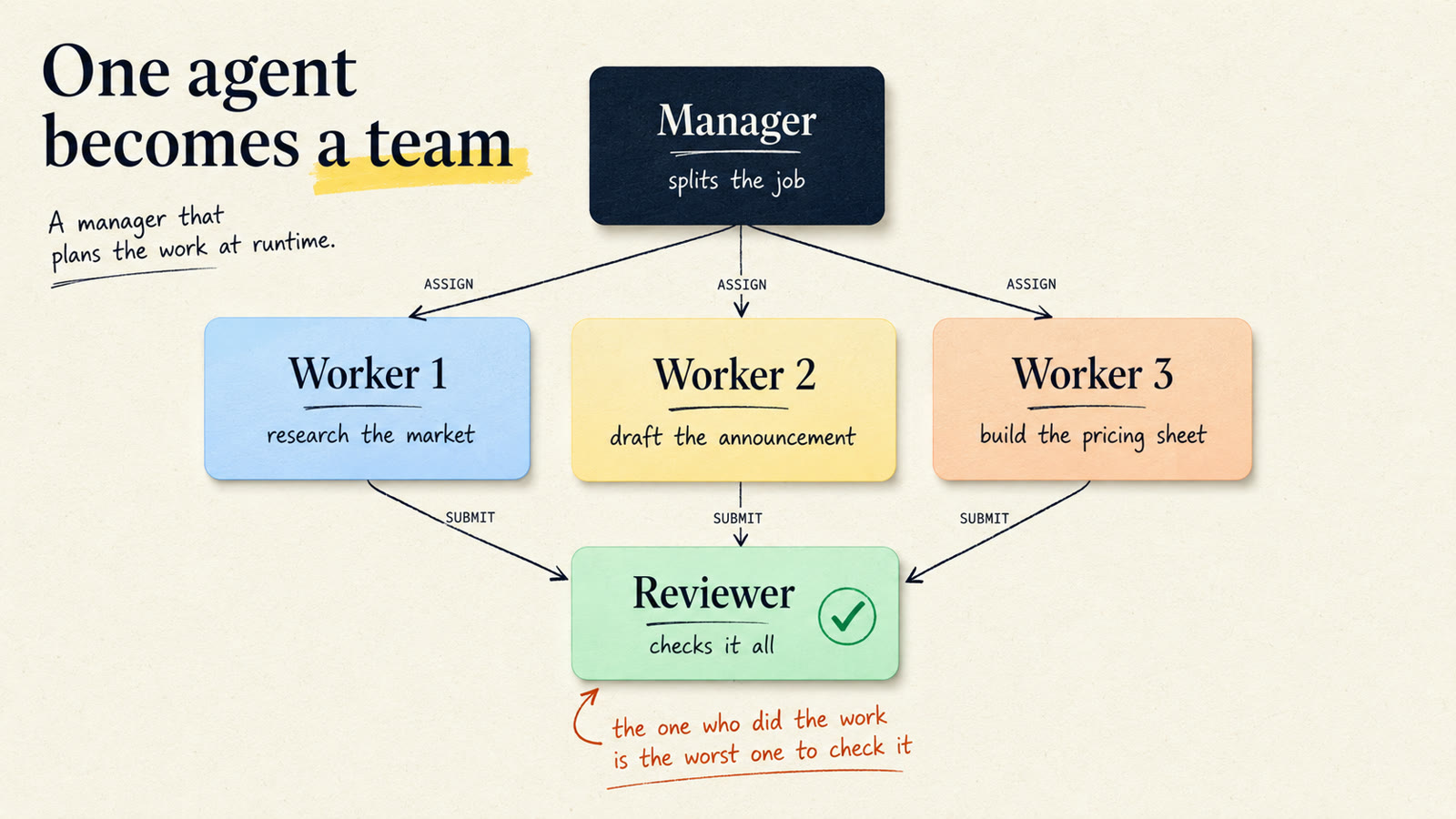
The part that makes this more than an org chart: the manager decides the plan in the moment. You don't script "always spawn three workers." You hand over the goal, and the lead agent looks at the actual job and decides how many workers, who does what, and what needs checking. Anthropic calls this the orchestrator-workers workflow, and the reason it earns its keep is that you can't predict the subtasks in advance. The plan comes from looking at the real work, not from a flowchart you drew last month.
Scout, then build. Before any significant move, send a read-only subagent to map the territory: which files matter, what's already there, where the landmines are. It burns through dozens of files in its own context and returns a tight brief. Then your main conversation does the actual work with a clean window and a good map. Works the same whether the territory is a codebase, a contract folder, or three years of messy bookkeeping. It's why Claude Code ships Explore as a built-in.
One more move worth knowing: subagents can carry their own hooks, so a database agent can run a validation script before every command it executes and get blocked if it tries a write. Guardrails per specialist, not per session.
This is how I run my actual business
Proof this isn't theory: my company runs on this exact mechanism.
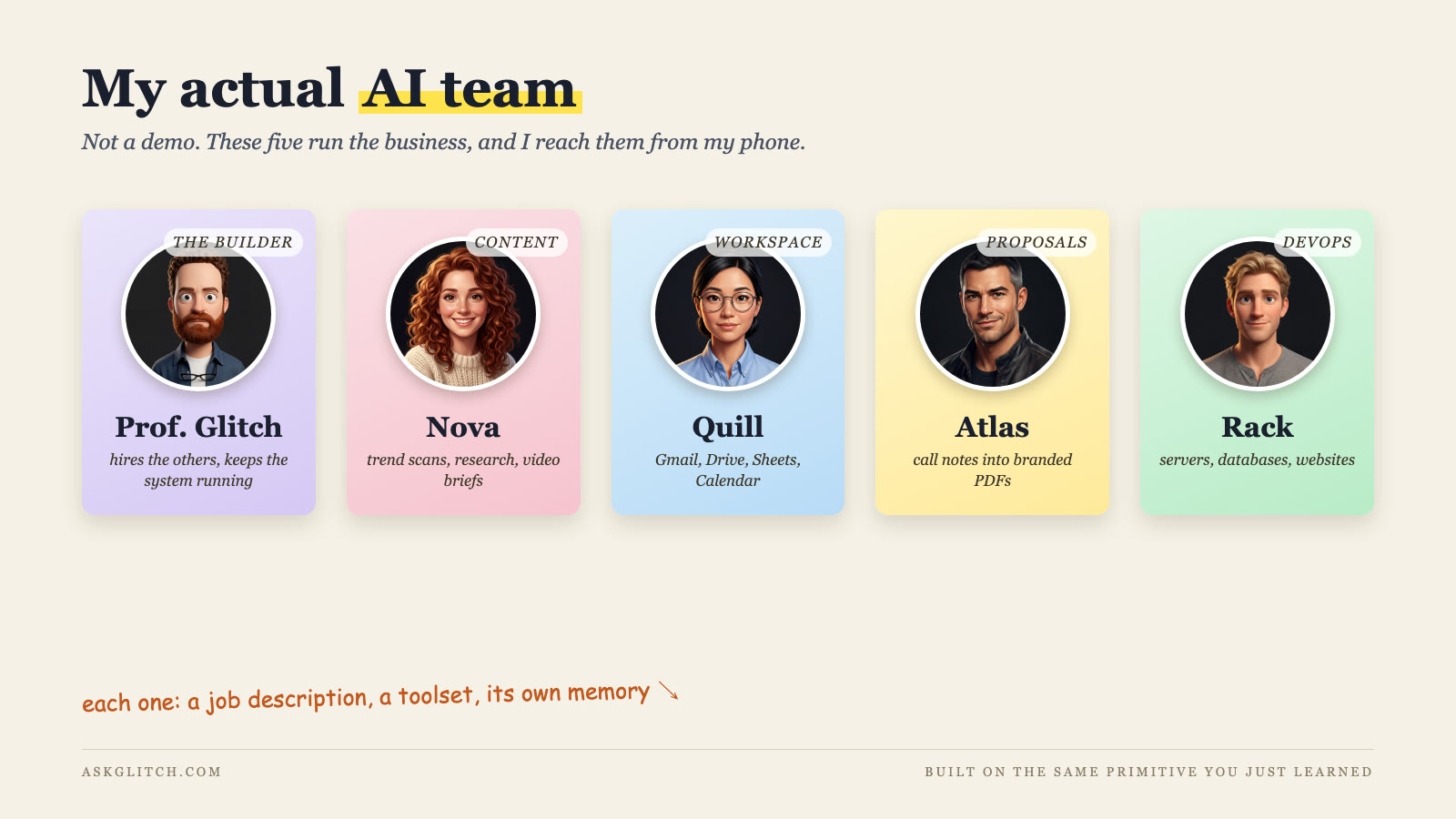
I have a team of AI employees, each one a specialist with its own role, tools, instructions, and memory. Nova is my content strategist; she scans what's trending every morning and turns the good ideas into production-ready video briefs. Quill manages my Google Workspace; she lives in Gmail, Drive, and Sheets. Rack is my DevOps engineer; he owns the servers, the databases, and the websites, and when something's down he's the one who knows why. Atlas writes proposals; he turns call notes into branded PDFs.
None of them can touch each other's work. Nova can't send email. Quill can't touch a server. That's not a bug I tolerate, it's the design. Every one of them is the same primitive you just built: a job description, a restricted toolset, a focused prompt. And I reach the whole team from my phone.
One difference worth naming. These five aren't throwaway subagents that spawn for a task and vanish. They're the same primitive made permanent: each one keeps its own desk, its own files, and its own memory that survives between sessions, so Nova remembers last week's strategy and Rack remembers every server he's ever touched. A subagent is a contractor you bring in for a job. These are employees. You start with contractors; the ones you keep calling back, you hire.
The thing that surprised me is which part matters most. It's not the automation. It's the clean handoffs. When Nova finishes a research brief, I get the brief, not the 200 web pages she chewed through to write it. Every specialist compresses its mess into a result. That's the property that makes a team of agents feel like a team instead of five chat windows you have to babysit.
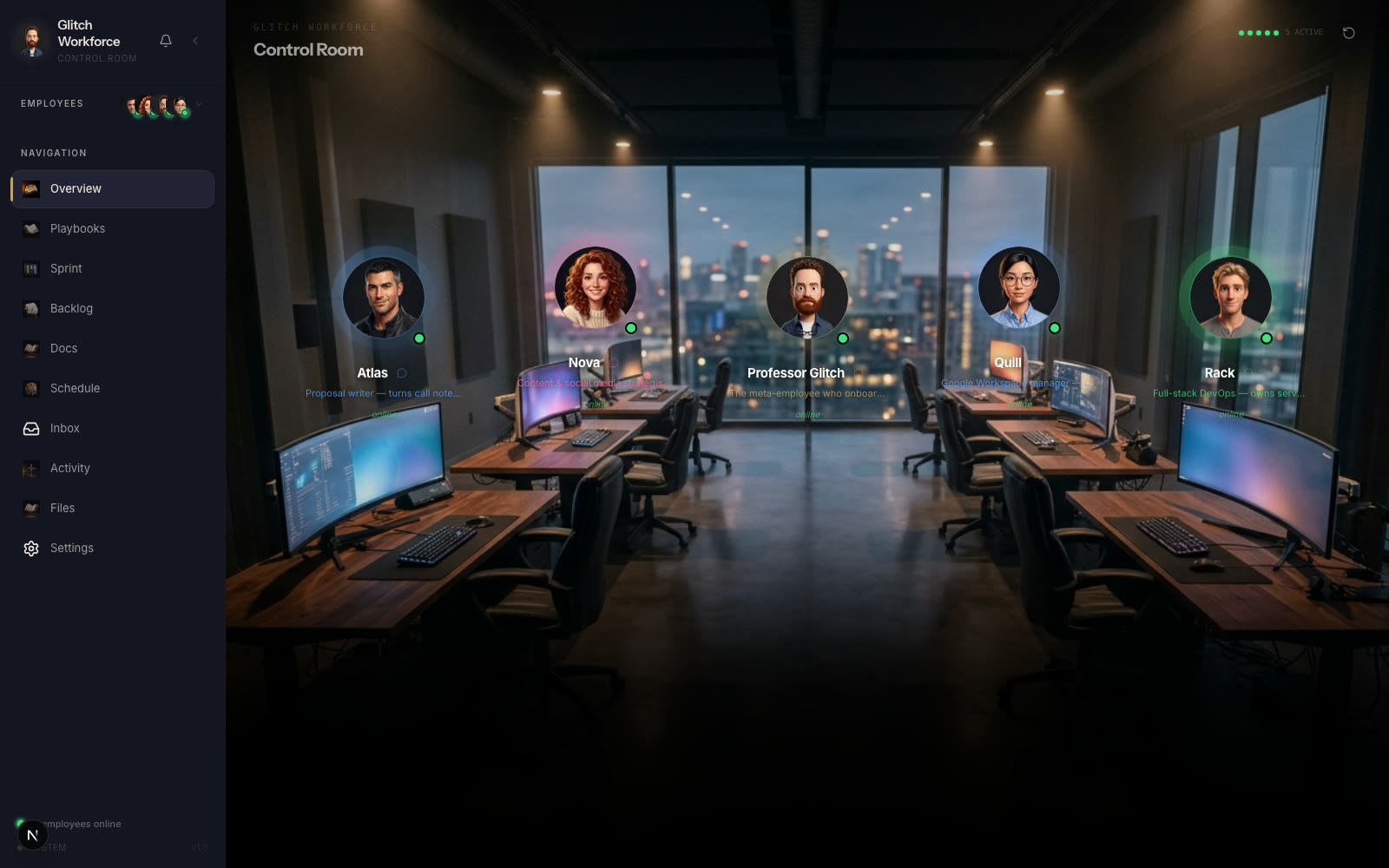
This is the Command Deck, the dashboard where I watch them work: every employee at a desk, a green light when they're online, their inbox, their sprint board, their files. And it's not a private toy. Members of my community get this exact system: clone it from GitHub, put your own names on the desks, and your team is on Telegram the same day.
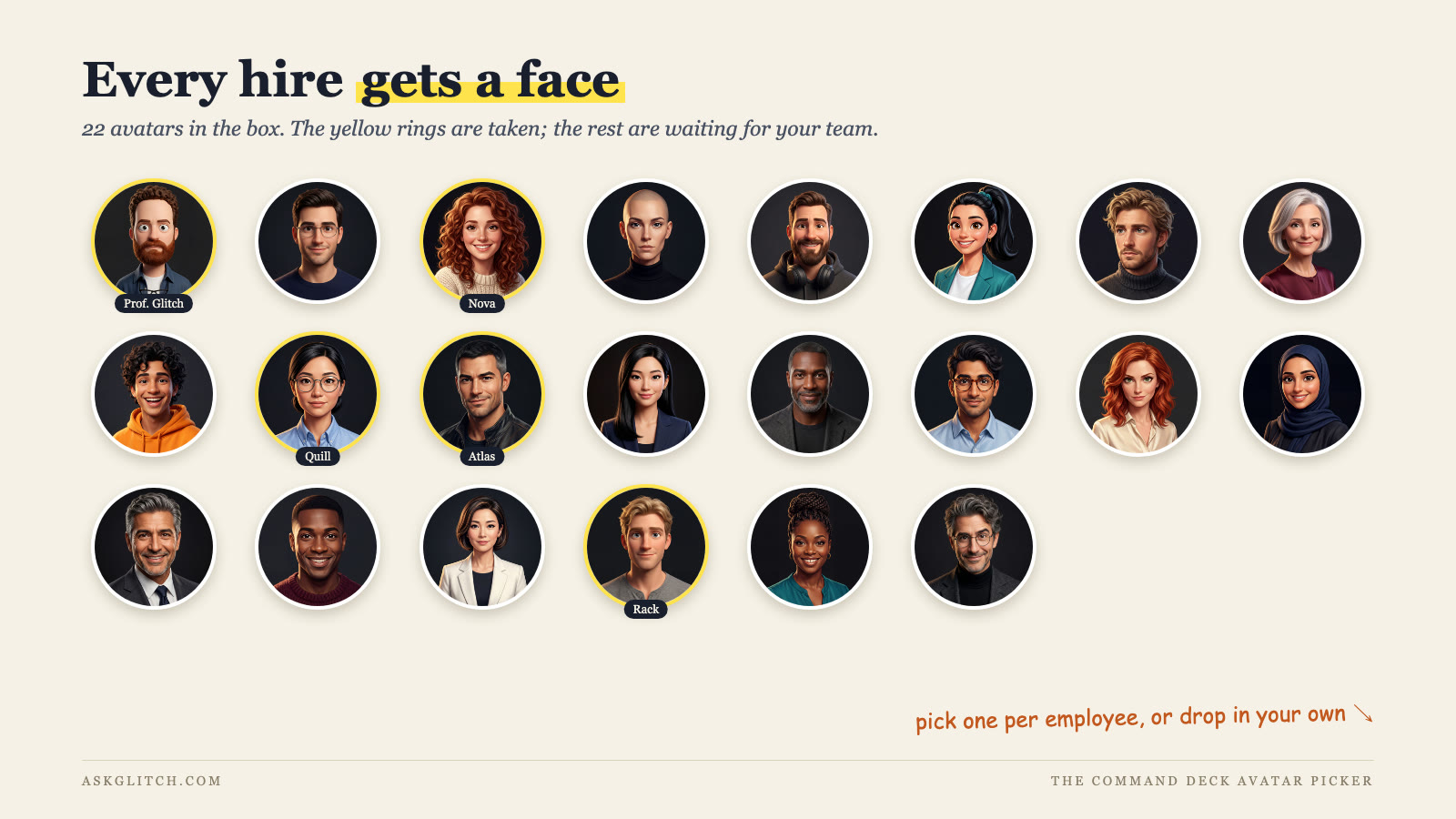
Every hire gets a face, too. The system ships with 22 avatars, you assign one when you hire, and you can drop in your own if none of them feel right. It sounds cosmetic. It isn't. The day your researcher has a name and a face is the day you stop treating it like a chat window and start treating it like staff.
When NOT to use subagents
Now the honest section, because subagents are the shiny hammer of 2026 and most tasks are not nails.
Skip them for quick, interactive work. A task-scoped subagent starts fresh. It has to gather context before it can act, and that costs time. If you're going back and forth on one paragraph, one email, or one function, the main conversation is faster and sees everything you've already discussed. Delegating a two-minute edit to a subagent is hiring a contractor to change a lightbulb. (Note this is about one-off subagents you spawn mid-session. A standing specialist with its own persistent memory, like the team above, walks in already knowing your setup; that's exactly why the specialists you call every day earn a permanent desk.)
Skip them when the phases share context. If planning, building, and testing all need the same accumulated understanding, splitting them across isolated agents means re-explaining the situation at every handoff. Keep connected work in one window.
Reach for a skill instead when you want a repeatable procedure, not a separate worker. A skill is instructions that load into your current conversation on demand, the binder-with-tabs idea from my Claude Code concepts guide: the agent opens the right tab when the job calls for it, and keeps working in the same context. The docs draw the same line. Reusable workflow that runs in your conversation: skill. Verbose or restricted work that should happen in its own room and come back as a summary: subagent. Most people who think they need a subagent need a skill.
Rule of thumb after a year of running this: delegate outcomes, not steps. If you can hand the task over with one sentence and judge the result without watching the process, it's a subagent job. If you'd need to supervise, keep it in the main conversation.
What to read next
Subagents are one tile in a bigger picture. The context-rot problem they solve is covered properly in the harness engineering guide. The guardrails that keep specialists inside their lanes are hooks. And if terms like CLAUDE.md and skills are still fuzzy, start with the Claude Code concepts guide and come back.
Then build the researcher. Tonight. It's one markdown file, and it changes how you think about the tool: less "chatbot," more "first hire of many."
And if you want the full path, from one working agent to a real AI team running your actual business, that's exactly what I teach inside the community: hands-on labs and my complete agent-team setup. Join us here. Your first specialist is ten minutes away. The team comes faster than you think.