

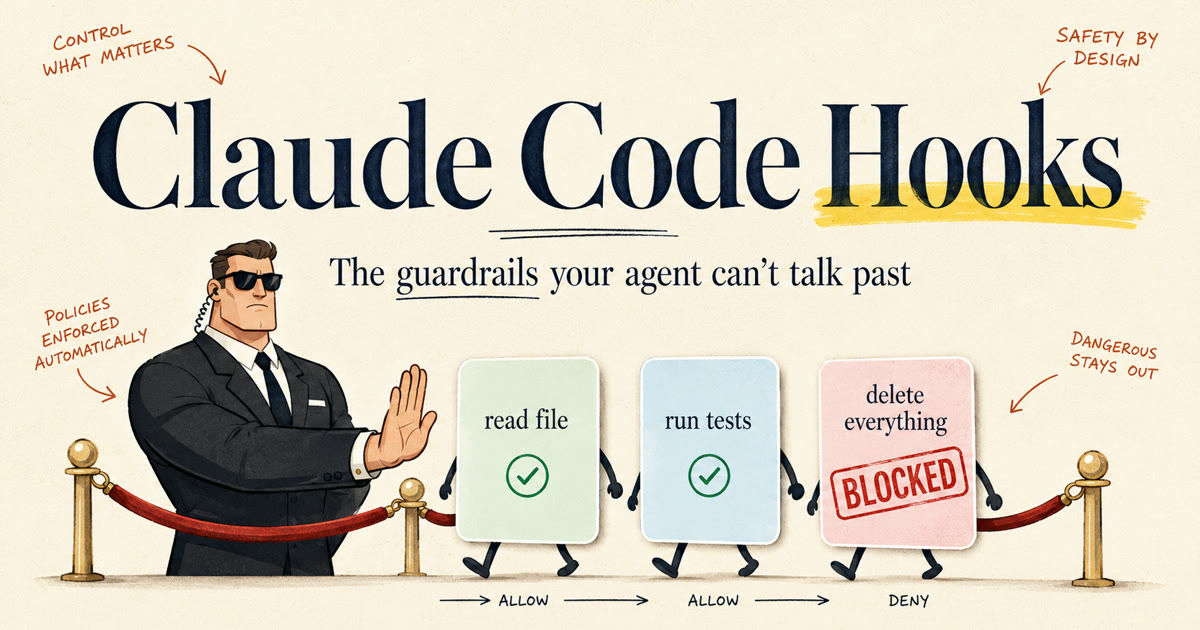
Your agent has hands now. It can run commands, edit files, hit APIs, send the email, move the money. So ask the question that should be making you slightly nervous: what is stopping it from using those hands wrong?
Right now, the answer is its good judgment.
That's it. That's the whole safety system most people are running. A probabilistic model that, depending on how you happened to word a prompt, might decide today is the day it runs the cleanup command on the wrong folder. Most people feel this risk and respond by adding a line to the prompt. "Never delete files without asking." "Be careful with credentials." That's asking a probabilistic thing to please be careful. It will comply most of the time, and "most of the time" is exactly the standard you don't want for the command that drops your database.
The fix is a hook. And Claude Code ships them built in.
I write guides like this when I find the piece that turns an AI demo into a system you can trust. Want the next one?
What a hook actually is
A hook is deterministic code that fires automatically at a fixed point in the agent loop. Before a tool runs. After a tool runs. When the agent says it's done. When the session ends. It is not part of the model's reasoning. It sits outside the brain, and it just runs.
That distinction carries the whole idea, so sit with it for a second. The model is probabilistic. Every instruction you give it is a suggestion it will probably follow. A hook is code. It runs every single time, at the same point, with the same rules, and the model cannot forget it, skip it, or talk its way past it.
Picture the model as the crowd and the hook as the bouncer at the door. The crowd can be charming all it wants. The bouncer checks everyone, every time, no exceptions.
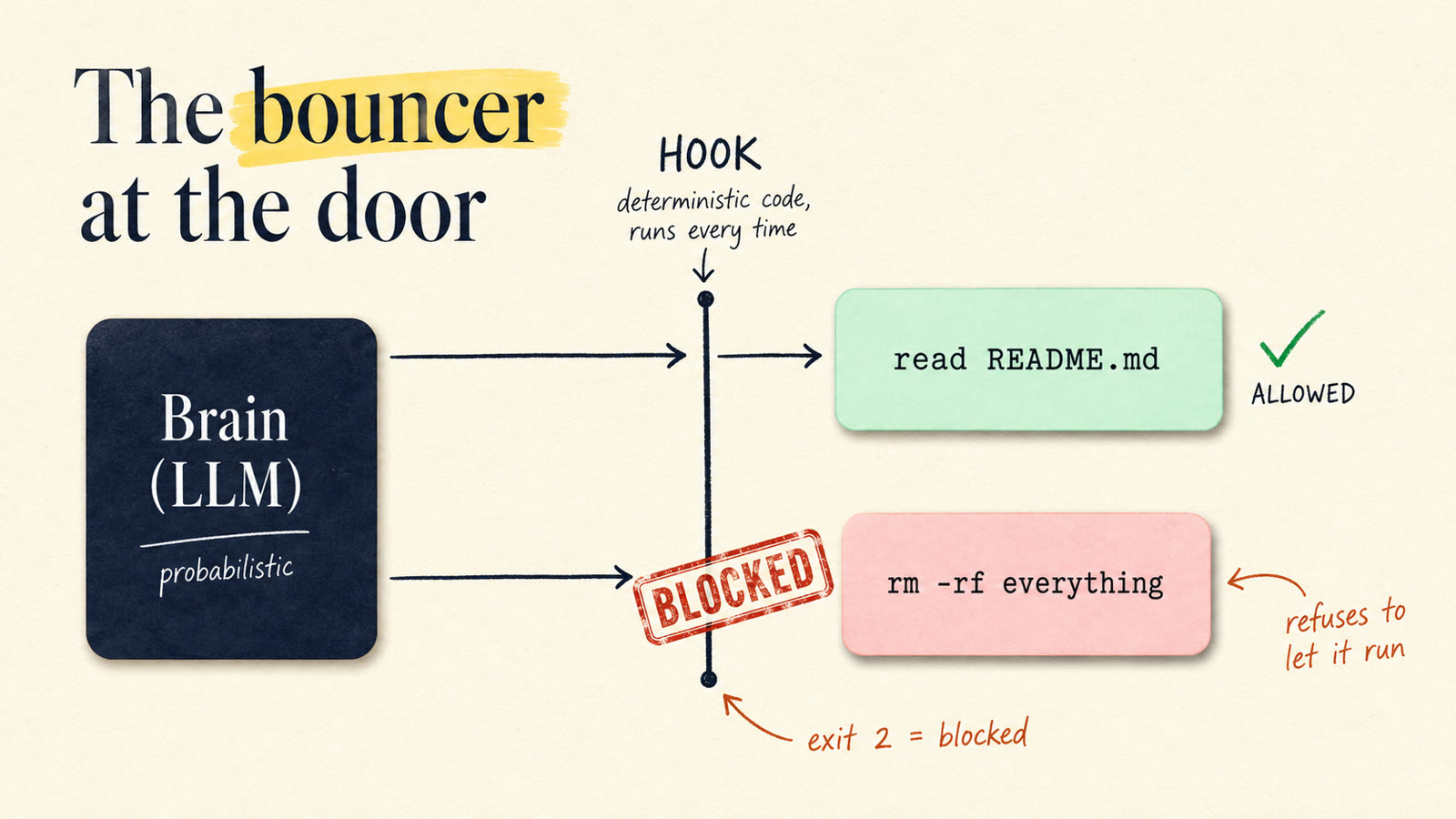
Mechanically, per the official hooks docs, a Claude Code hook is a shell command you register in a settings file. When the event fires, Claude Code runs your command, pipes a JSON payload describing the event into stdin (the tool name, the tool's exact input, the session id, the working directory), and reads your verdict from the exit code and stdout. Exit 0 means proceed. Exit 2 means block, and whatever you printed to stderr gets fed back to Claude as the reason.
You write them in whatever you want. Bash, Python, a compiled binary. If it reads stdin and returns an exit code, it's a hook.
If you've read my harness engineering piece, you know the frame: the model is the brain, and everything around it that makes the brain useful is the harness. Hooks are the harness's enforcement layer. They're where "I hope it behaves" becomes "I know it will."
Job one: the guardrail
Here's where hooks earn their keep. Three examples I actually run, in ascending order of how much they've saved me.
Block reads of the secrets file. A PreToolUse hook sees every tool call before it executes, with the full input. If the agent is about to read .env or anything under secrets/, the hook exits 2 and the read never happens. Cold. It doesn't matter how reasonable the agent's justification was, or whether a prompt injection buried in some webpage asked it nicely. The bouncer doesn't debate.
Block destructive commands. Same event, matched to the Bash tool. The hook inspects the command string in tool_input.command before it runs. rm -rf pointed anywhere sensitive, a force push, a DROP TABLE, whatever your personal list of scar tissue looks like. Deny it in code and it is simply not possible, no matter what the model reasons its way into.
Reject "done" until the tests pass. This is the one that matters most, and it uses a different event. Keep reading.
The pattern across all three: you're not making the model smarter or more careful. You're making certain failures impossible. Those are different engineering problems, and the second one is a lot easier to solve.
The trick most people miss: refusing the "done"
Everyone gets that hooks can block a bad action. The underrated move is that a hook can block a bad stop.
Claude Code fires a Stop event when the agent finishes responding. Your hook runs at that moment. And per the docs, if it exits with code 2, Claude is prevented from stopping. Your stderr message goes back to the model, and it goes back to work.
So picture it. The agent says "all set, I shipped the feature." Your Stop hook quietly runs the test suite. Three failures. The hook exits 2 with "tests are failing, here's the output, fix them." The agent doesn't get to be done. It gets shoved back into the loop with the failure output in hand.
#!/bin/bash
# .claude/hooks/verify-done.sh
if ! npm test --silent > /tmp/test-output.txt 2>&1; then
  echo "Not done. Tests are failing:" >&2
  tail -20 /tmp/test-output.txt >&2
  exit 2
fi
exit 0
This is enforcement, not a polite request. "Always run the tests before finishing" in your prompt is a suggestion. A Stop hook that refuses the stop is a rule. The agent literally cannot declare victory while the suite is red.
Two practical notes. Keep the check fast and deterministic, because it runs on every stop. And make sure a real failure produces a fixable message, because that stderr text is the only guidance the agent gets. "Tests failed" sends it wandering. The actual failure output sends it straight to the bug.
The same pattern works one level down: SubagentStop fires when a subagent finishes, so you can hold delegated work to the same standard as the main loop.
Setting up your first hook, step by step
Let's build the secrets guard for real. Everything here is verified against the hooks reference; this isn't pseudocode.
1. Write the guard script. Create .claude/hooks/protect-secrets.sh in your project:
#!/bin/bash
# Reads the hook event JSON from stdin, blocks reads of secret files.
input=$(cat)
file_path=$(echo "$input" | jq -r '.tool_input.file_path // empty')

case "$file_path" in
  *.env*|*secrets*|*credentials*)
    echo "Blocked: agents don't read secrets files." >&2
    exit 2
    ;;
esac
exit 0
The JSON arriving on stdin includes tool_name, tool_input, session_id, and cwd, so you can write rules as specific as you like.
2. Make it executable.
chmod +x .claude/hooks/protect-secrets.sh
3. Register it in settings. Hooks live in your settings files: ~/.claude/settings.json applies to every project on your machine, .claude/settings.json is per-project and shared with your team through git, and .claude/settings.local.json is per-project and personal. Add this to your project's .claude/settings.json:
{
  "hooks": {
    "PreToolUse": [
      {
        "matcher": "Read",
        "hooks": [
          {
            "type": "command",
            "command": "bash .claude/hooks/protect-secrets.sh"
          }
        ]
      }
    ]
  }
}
Three nesting levels: the event, a matcher that filters which tool it applies to, and the list of commands to run.
4. Test the block. New session, then ask Claude to read your .env. The read is denied before it executes, and your stderr message is what Claude sees as the explanation.
5. Test the pass-through. Ask it to read README.md. Works fine. Verify both directions. A guardrail that blocks everything is a guardrail somebody deletes by Friday.
One gotcha that bites almost everyone, straight from the docs: only exit code 2 blocks. Exit code 1, the conventional Unix failure code, is treated as a non-blocking error and the action proceeds anyway. If your script crashes with exit 1, your bouncer just waved the whole crowd through. Write your hooks so the failure path is explicit, and prefer the JSON output form (permissionDecision: "deny" on stdout with exit 0) when you want the decision to be unambiguous.
Job two: the end-of-shift journal
Guardrails are what everyone uses hooks for. There's a second job almost nobody talks about: hooks are how an agent's memory gets written.
Your agent already reads memory; retrieval pulls the relevant facts into the window when a task starts. (The full memory architecture, read path and all, is in the harness engineering guide.) But something has to file the new facts: the preference you stated, the approach that worked, the mistake worth not repeating. That something is a hook. Claude Code fires SessionEnd when a session terminates. It can't block anything, its output is ignored, it exists purely for side effects. Which is exactly what a memory write is: take the transcript path off stdin, distill the conversation, append the durable stuff to your store.
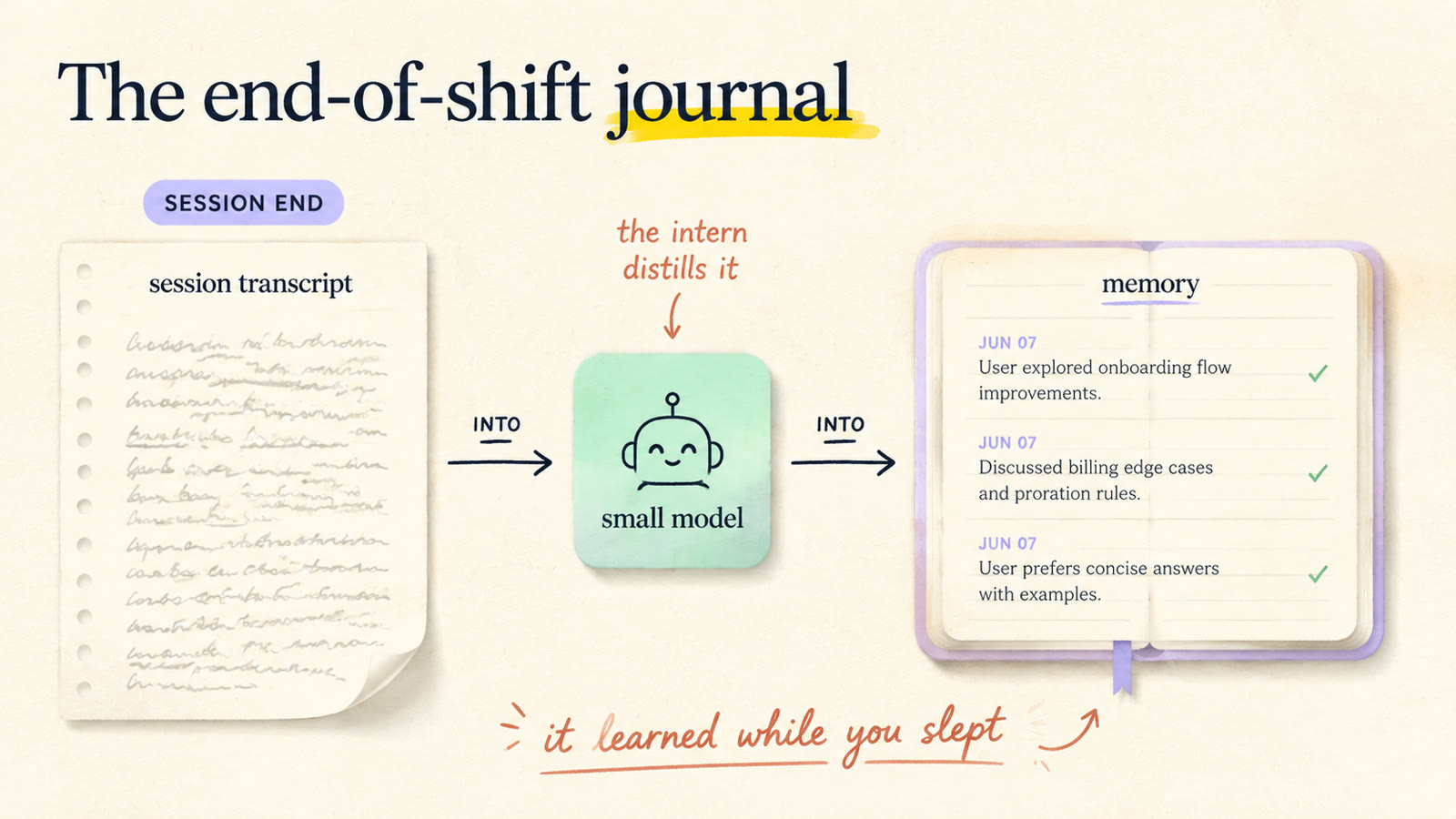
It's the end-of-shift journal, except the journal writes itself, every single shift, because it's a rule and not a mood. Next session, the agent walks in already knowing what this one taught it.
#!/bin/bash
# .claude/hooks/write-memory.sh (SessionEnd)
input=$(cat)
transcript=$(echo "$input" | jq -r '.transcript_path')

claude -p --model haiku "Read the transcript at $transcript. \
Extract ONLY durable facts: preferences learned, decisions made, \
approaches that worked, mistakes to avoid. Append them as dated \
bullets to ./memory/journal.md. If nothing is durable, write nothing."
Two rules keep this from becoming a toy. Gate the write: most messages are "thanks" and "got it," so write at session end (or every Nth session) and let the prompt end with "if nothing is durable, write nothing." Storing everything isn't memory, it's clutter. And use the cheap model: distilling a transcript into a paragraph isn't hard reasoning. The senior model thinks during the session; the intern writes up the minutes after.
Hook events cheat sheet
Claude Code exposes around thirty events. These are the ones you'll actually reach for first, per the docs:
| Event | Fires when | Can block? | Best first use |
|---|---|---|---|
PreToolUse |
Before any tool call executes | Yes | Secrets guard, destructive-command filter |
PostToolUse |
After a tool call completes | Feedback only | Auto-format after edits, log every command |
UserPromptSubmit |
When you submit a prompt | Yes (rejects prompt) | Inject context, filter prompts |
Stop |
When Claude finishes responding | Yes (refuses the stop) | Run tests before accepting "done" |
SubagentStop |
When a subagent finishes | Yes | Hold delegated work to the same bar |
SessionStart |
When a session begins | No (adds context) | Load today's state into the window |
PreCompact |
Before context compaction | Yes | Save state before the window gets squeezed |
SessionEnd |
When a session terminates | No (side effects only) | The memory write |
Notice the symmetry: SessionStart can inject context in, SessionEnd can write learning out. That pair alone is a working memory system.
Where this fits
Hooks are one layer of the harness. If you want the full picture, read them in order: harness engineering for the loop that hooks bolt onto, subagents for delegating work that your SubagentStop hooks then verify, and the second brain method for what a well-fed long-term memory store looks like once the write path is running.
Start with one hook, tonight, and make it the secrets guard. Fifteen minutes. Then live with the strange new feeling of knowing your agent can't do the bad thing, instead of hoping it won't.
That shift, from hoping to knowing, is the entire discipline I teach. My own AI team runs on these exact patterns: guardrail hooks on every employee, memory writes at every session end, a Stop hook that refuses to let anyone call sloppy work finished. If you want the structured path to building a workforce like that for your own business, that's what the community is for. We build these systems hands-on, step by step.
The bouncer works every shift. Hire one.